Using Alternate Cost Rates for Resources

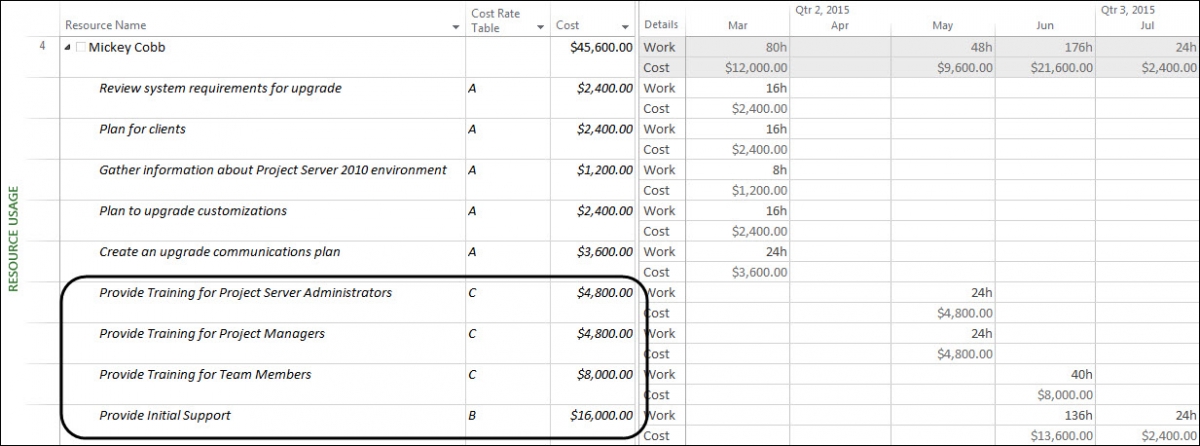
Using Cost Rate Tables Mickey Cobb is a project team member for projects in the DaleCo organization. As a project team member, she can work in three different roles, and each role carries a different cost rate. You can see her roles and cost rates in the following table.  Role  Cost Rate  Support (Help Desk) Read more about Using Alternate Cost Rates for Resources[…]
How To Get A List Of All Your Custom Fields

Have you ever wanted to know how many Custom fields you have in your system, when they were created or what is the data type of each one? You can get a full list of all the Custom fields that you have in the system using a simple query as shown below. The query will call Read more about How To Get A List Of All Your Custom Fields[…]

Microsoft Project Trivia Question

For Microsoft Project experts and newbies alike, I have a trivia question for you… Which animal is used in the name of a feature in Microsoft Project? Please submit your answers in the comments attached to this post. Hungry for more? Would you like to learn more about how to effectively use Microsoft Project, Microsoft Project Read more about Microsoft Project Trivia Question[…]

Adding a new Project Web App Account in Microsoft Project Pro

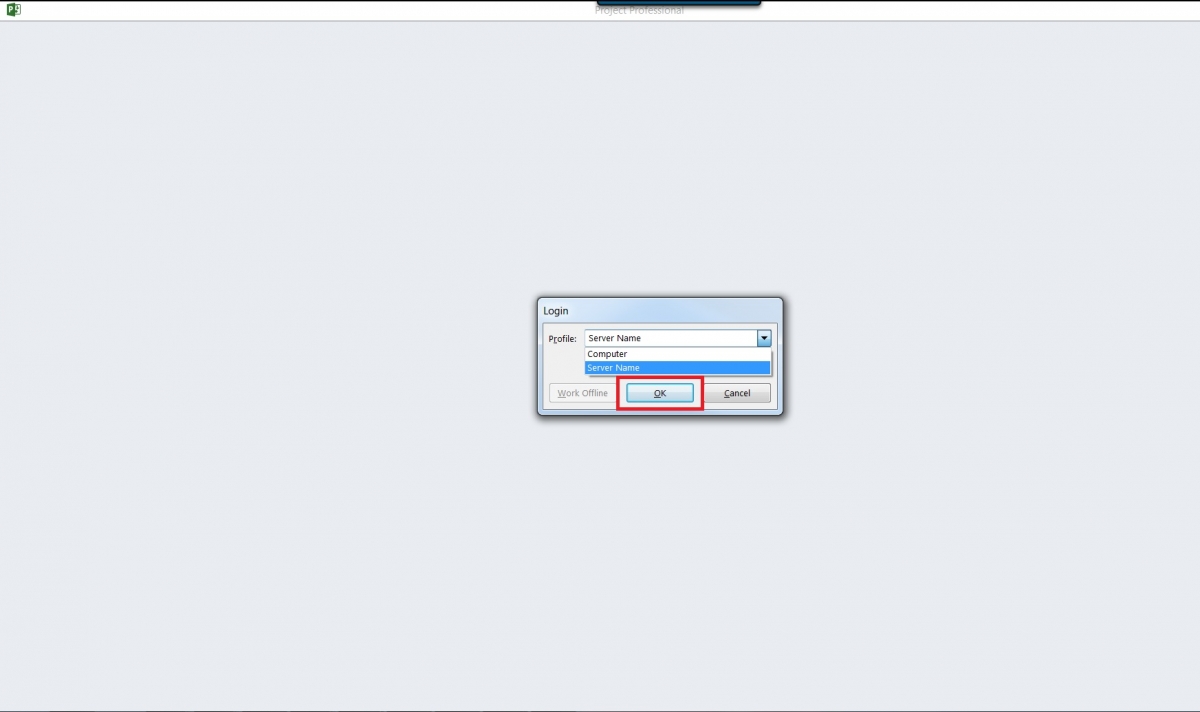
1. Double click on Microsoft Project Pro, in the Login pop-up window choose the Profile option of Computer then click OK.​ 2. When the screen below appears press the ESC button on your keyboard. 3. Click on the File tab. 4. Click on Info. 5. Under the Info section, click on “Manage Accounts”. 6. In the “Project Web App Accounts” pop-up window click on “Add”. Read more about Adding a new Project Web App Account in Microsoft Project Pro[…]

Creating an Unusual Scheduling Calendar in Microsoft Project

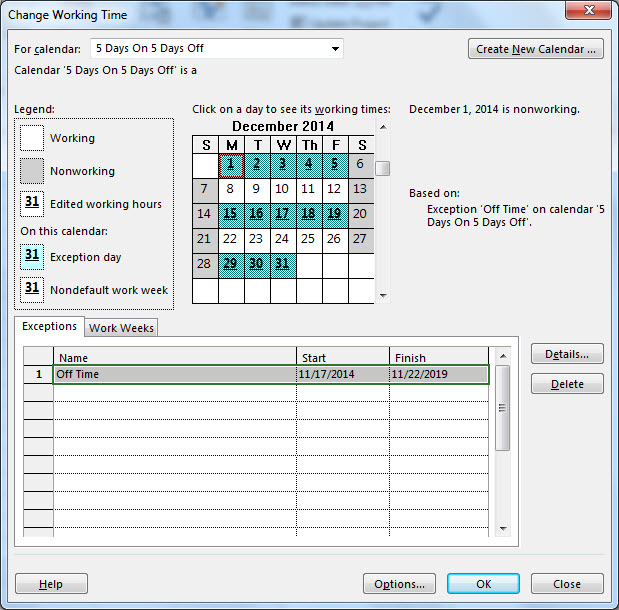
In the Microsoft Answers User Forum dedicated to Microsoft Project, a fellow user asked if there is a way to create a recurring calendar that would show a resource is available for 5 days, unavailable for 5 days and keep repeating. This is an unusual scheduling calendar for sure but the answer to the question is Read more about Creating an Unusual Scheduling Calendar in Microsoft Project[…]

True Estimates = Efficient Projects

These past couple of weeks I have been helping a Ship Construction Company here in Houston, Texas with their schedules. Their biggest concern is the amount of inefficiencies in their ship building process, so they were analyzing each task and simply estimating the duration for each one. By doing so, they were spiraling into the Read more about True Estimates = Efficient Projects[…]

Everything You Need to Know About Duration

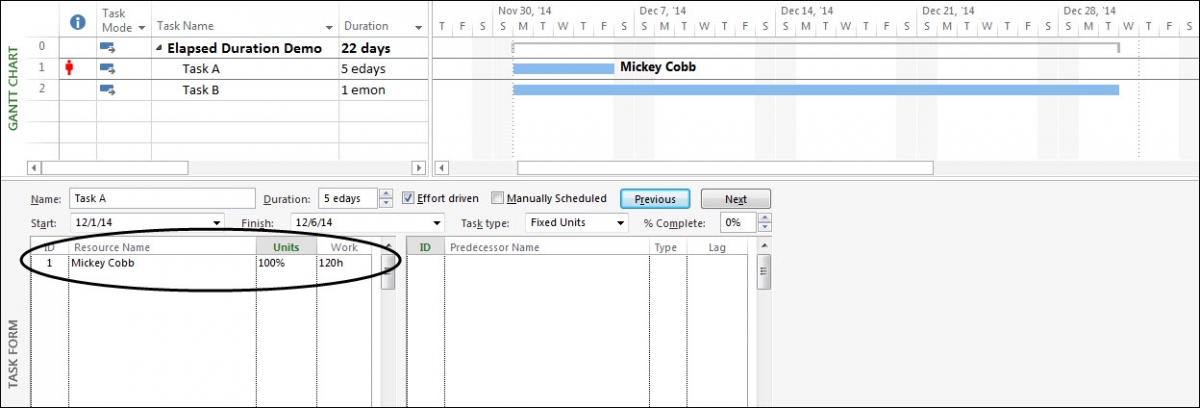
Understanding Duration In the default Gantt Chart view, Microsoft Project automatically displays a Duration column to the right of the Task Name column. So, a good question to ask is, “What is Duration?”. According to the Project Help article about Duration in Microsoft Project 2013, Duration is “…the total span of active working time for Read more about Everything You Need to Know About Duration[…]

How to Clean Cache in Microsoft Project 2013

In this video you will learn how to clean cache in Microsoft Project 2013. Interested in how EPMA can help you with your project schedules? Contact us today at 1.888.444.EPMA or [email protected]. Thanks for watching! Please feel free to leave comments below or check out our other blogs on Microsoft Project, Project Server, SharePoint and Read more about How to Clean Cache in Microsoft Project 2013[…]