EPMA Awarded One of the Best Companies to Work for in Texas 2014

EPMA was recently named as one of the 2014 Best Companies to Work for in Texas. The awards program was created in 2006 and is a project of Texas Monthly, the Texas Association of Business (TAB), Texas SHRM and Best Companies Group. This statewide survey and awards program was designed to identify, recognize and honor Read more about EPMA Awarded One of the Best Companies to Work for in Texas 2014[…]
Resource Planning Tip for Project Pro 2013

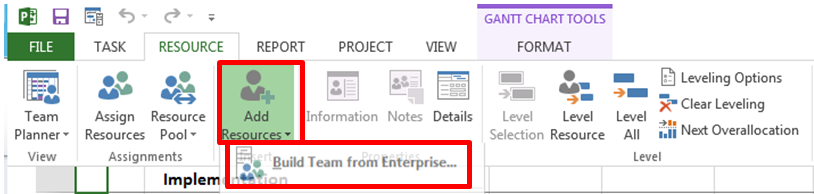
Adding Resources to a Project Schedule in Project Pro 2013 Open Project Pro 2013 and navigate to the Resource Tab. Select Add Resource and Build Team From Enterprise. In the Build Team Dialog box chose team members on the left and use the Add button to add the resources to your project. Resources can be marked Proposed or Read more about Resource Planning Tip for Project Pro 2013[…]

Comparing Projects

There have been so many times in the past where I made several changes to my project (like adding new tasks, inactivating un-needed tasks, etc) only to find myself in a spot where it is impossible for me to know what changes I made as compared to my previous version. Luckily Microsoft heard my cries Read more about Comparing Projects[…]

Elapsed Days in Microsoft Project

Here is a quick blog to introduce Microsoft Project users to a quick and easy tip when dealing with task durations and elapsed days. In Microsoft Project it is possible to model duration in terms of ‘elapsed’ days. Elapsed days are used when a task’s duration needs to disregard any ‘nonworking time’ or resource constraints. Read more about Elapsed Days in Microsoft Project[…]

Doctors in Project Management Tools

Over the past few months I’ve been at one of our client’s site and have been in an Analyst role. I was tasked with helping resolve various issues users have been facing while using Microsoft Project Server 2010 as well as Microsoft Project Professional 2010. It has been a tremendous learning experience of figuring out Read more about Doctors in Project Management Tools[…]

Inactive Tasks in Microsoft Project 2010 vs. Project 2013

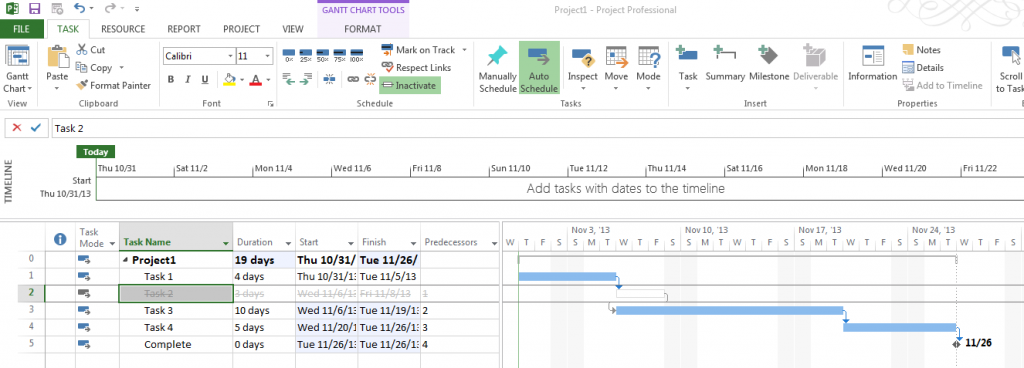
I was sitting in one of Tom Henry’s training classes earlier this week when a new feature of Microsoft Project 2013 was noticed. When making a task inactive in Project 2010 the task was automatically shot back to the project start date. You would then have to add an additional predecessor to the next task Read more about Inactive Tasks in Microsoft Project 2010 vs. Project 2013[…]

Baby Steps to a Successful PPM Implementation

I have been working in the Project and Portfolio Management realm for a number of years now. Over the years I have seen clients run projects in numerous industries ranging from Financial Institutions in London to Oil & Gas Companies in Houston. I have seen many failed implementations where people have hired a bunch of Read more about Baby Steps to a Successful PPM Implementation[…]

Updating Project Progress

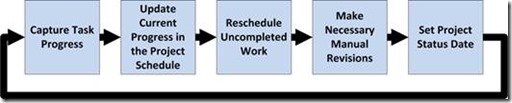
I have worked with Project Managers from various backgrounds that have used all kinds of technologies to create project schedules no matter what their background or technology expertise is they always have the same questions: “What level of detail do I need to go into?” “How do I update project progress once my project has Read more about Updating Project Progress[…]