How Can I Trust You to Manage a One Million Dollar Project if You Cannot Manage a One-Hour Meeting?

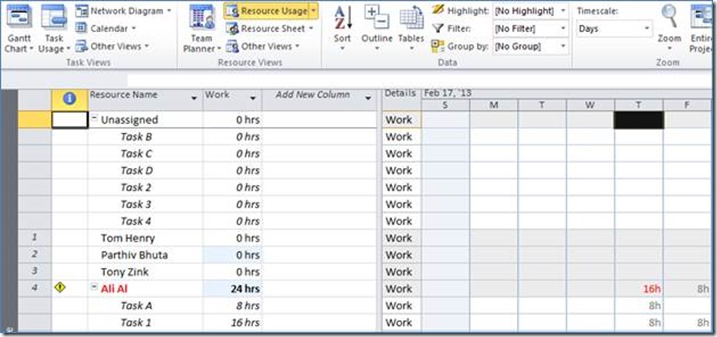
Effectively managing a project requires — among other things — the ability to be organized and make the most effective use of people’s time. It also requires the respect of your project team… which you can quickly lose if you cannot run an effective project team meeting. If you have access to Project and Portfolio Read more about How Can I Trust You to Manage a One Million Dollar Project if You Cannot Manage a One-Hour Meeting?[…]

Instructions for creating a Master Project in Microsoft Project 2013

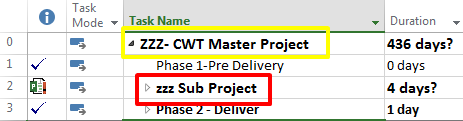
Microsoft Project allows you to link projects in a Master Project/Subproject Relationship. Here is a rundown on the steps. Open the project that will be the Master Project in Project Professional (you must be connected to the server). In the Ribbon, on the Project Tab Select Subproject In the Insert Project dialog box you will Read more about Instructions for creating a Master Project in Microsoft Project 2013[…]

The Power of the Baseline in Microsoft Project

A Baseline is essentially a snapshot of your project schedule, it should be captured once your schedule is complete and you’re ready to begin your project. The moment your project starts events will occur that you didn’t account for in your project schedule e.g. a resource that was assigned to a task, started later than Read more about The Power of the Baseline in Microsoft Project[…]

Art of Microsoft Project Scheduling: Using Milestones and the DBS

Milestones are used in various ways in a Microsoft Project schedule, but are typically indicators of important dates, events, deliverables, or achievements in the project. Visually, a milestone is typically depicted as a black diamond in a Gantt Chart… again indicating an important point along the overall project timeline: The traditional, structured approach to developing Read more about Art of Microsoft Project Scheduling: Using Milestones and the DBS[…]

Art of Microsoft Project Scheduling: Driving Task Dependencies with Percentages

Not all project tasks are performed sequentially; some are sequential, some are parallel, some have lag times, some have lead times (another term for negative lag), and some require a combination of these. The right logical dependency to establish between any two project tasks will depend upon the situation. If you want to establish a Read more about Art of Microsoft Project Scheduling: Driving Task Dependencies with Percentages[…]

The Art of Scheduling with Microsoft Project

Project scheduling with Microsoft Project is partially a science, and partially an art: Science: Understanding and utilizing the various technical behaviors of the project scheduling engine, as well as the “mouse-click” features in Microsoft Project to build and track project deliverables and activities, timelines, work effort, resource utilization, and costs. Art: Understanding the most effective Read more about The Art of Scheduling with Microsoft Project[…]

Microsoft Project Quick Trick: Quickly Impose Multiple Deadlines Throughout a Project Schedule

Using the deadline feature in Microsoft Project is a great way to impose a deadline on a task, milestone, or summary in your project schedule and see whether your dynamic schedule is causing you to meet or miss that deadline… without using ‘Finish No Later Than’ or ‘Must Finish On’ scheduling constraints. Not only can Read more about Microsoft Project Quick Trick: Quickly Impose Multiple Deadlines Throughout a Project Schedule[…]

Microsoft Project Conference 2014 Sessions Now Available On Demand

Recorded sessions and PowerPoint presentations from the Microsoft Project Conference 2014, held February 2 – 5, 2014 in Anaheim, California, are now available on Microsoft’s Channel 9 web site. Video recordings can be streamed on demand or downloaded for offline viewing, and the accompanying PowerPoint presentations can be viewed in your web browser or downloaded Read more about Microsoft Project Conference 2014 Sessions Now Available On Demand[…]