
Highlighting Changes in Microsoft Project 2013

One of the common complaints I hear with Project Pro 2013 is that once you make a change in the schedule the resulting effects are hard to see. Let’s start with why this is important and then look at how you can customize the highlighting to your liking. Microsoft Project is a scheduling tool and Read more about Highlighting Changes in Microsoft Project 2013[…]

EPMA Awarded One of “Houston’s Best and Brightest Companies to Work For™” by the NABR

EPMA, one of the nation’s most innovative and leading Project and Portfolio Management consulting firms, announced today that its Houston office was named one of The National Association for Business Resources (NABR) recipients of Houston’s Best and Brightest Companies to Work For™. “It’s another incredible achievement and milestone for EPMA.” said Michael Samadi, EPMA’s President Read more about EPMA Awarded One of “Houston’s Best and Brightest Companies to Work For™” by the NABR[…]

What does the Publish field in Microsoft Project do?

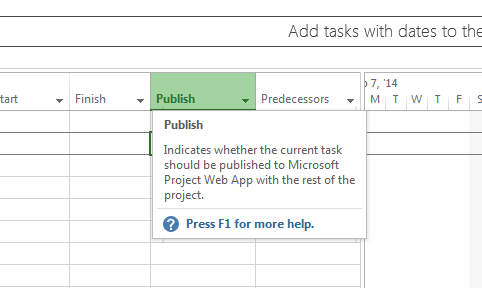
If you are a Microsoft Project user you may have come across the ‘Publish’ Column.  If you were curious you may have even looked at the tool tip on the ‘Publish’ column. The tool tip: “Indicates whether the current task should be published to Microsoft Project Web App (PWA) with the rest of the project” Read more about What does the Publish field in Microsoft Project do?[…]

Exporting Project Data with a Gantt Chart

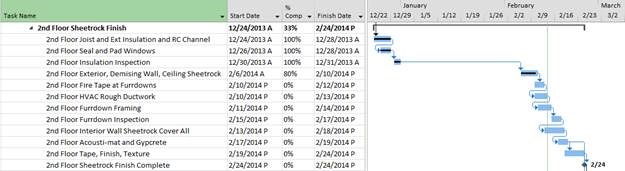
While giving a training class a few days ago I decided to demonstrate how the ‘Smart Copy and Paste’ feature works in Microsoft Project. This feature allows you to copy any data from within your project schedule and paste it into other applications such as Word or Excel, and Project is clever enough to pick Read more about Exporting Project Data with a Gantt Chart[…]

PPM Solutions Provider, EPMA, Named Top 100 Most Promising Microsoft Solution Providers

EPMA was named one of the “100 Most Promising Microsoft Solution Providers” in the July 2014 issue of CIO Review Magazine and web issue. CIO Review is a flagship publication delivering breaking news to CIOs, technology entrepreneurs and innovators around the world. Its annual list showcases the 100 Most Promising Microsoft Solution Providers that offer Microsoft technology-based products, Read more about PPM Solutions Provider, EPMA, Named Top 100 Most Promising Microsoft Solution Providers[…]

Beware of the ‘Autolink Inserted or Moved Tasks’ Setting in Microsoft Project

There are several configuration settings available in Microsoft Project that control how the tool looks and behaves; many of the settings are merely personal preferences, but some of them can be dangerous to your project schedule if you do not understand and configure them properly. You can view or update these settings through the ‘Project Read more about Beware of the ‘Autolink Inserted or Moved Tasks’ Setting in Microsoft Project[…]

Common Mistakes People Make in Microsoft Project (1 of 5)

This is the first in a series of common mistakes that I see people making within Microsoft Project on a daily basis. This series will hopefully help you to avoid these mistakes and use the tool more efficiently. Mistake: Manually Scheduled Tasks as default When you first install Microsoft Project on your computer the default Read more about Common Mistakes People Make in Microsoft Project (1 of 5)[…]

Beware of Auto Save in Microsoft Project!

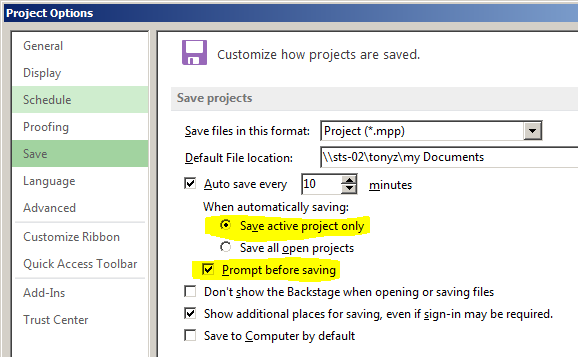
You may initially think that Microsoft Project’s auto save feature can be a great life saver… but beware! When you save a project schedule in Microsoft Project — either manually or automatically — all of your ‘undo’ operations are removed. Prior to the save: After the save (notice the ‘Undo’ button on the Quick Access Read more about Beware of Auto Save in Microsoft Project![…]