
Wave Planning with Project Server/Project Online

I was fortunate enough to speak at the PMI conference in Houston recently, the topic I spoke about was ‘Wave Planning with Project Server’. I promise the attendees that I would write a follow up blog so here it is: What is Wave planning? Wave planning is a dynamic method of assigning resources that allows Read more about Wave Planning with Project Server/Project Online[…]
Microsoft Project 2010 Quick Reference Card Pack Download

Due to popular demand we have added more quick reference cards to our stack.  EPMA’s Microsoft Project 2010 Quick Reference Card Pack now consists of twelve Microsoft Project quick reference cards.  The Quick Reference Cards explain the common elements of the Microsoft Project 2010 interface including: an itemized listing of the Project 2010 ribbon commands, Read more about Microsoft Project 2010 Quick Reference Card Pack Download[…]

Leading Practices used when creating a Project Schedule – 1

This is the first of a series of blogs in which I intend to cover some of the most important aspects of scheduling. These are some leading practices that are applied by many seasoned Project Managers, but are often missed by someone new to the world of Project Management. These are just some of the Read more about Leading Practices used when creating a Project Schedule – 1[…]

How Complicated Does a Project Schedule Need to Be?

I have given Microsoft Project and Microsoft Project Server/Project Online/PPM training classes to various clients from a variety of backgrounds; from power plant engineers scheduling planned outages to educational personnel running projects for local school districts. There is always a common question that is running through the minds of the trainees: What level of detail Read more about How Complicated Does a Project Schedule Need to Be?[…]

Changing the Project Manager in Microsoft Project Server

Within Microsoft Project Sever you may find yourself needing to change the Project Manager of a project schedule from one person to another. To accomplish this there are two steps: The first thing that needs to be done is to set the ‘Owner’ of the project. Once you are the ‘Owner’ of a project schedule, Read more about Changing the Project Manager in Microsoft Project Server[…]

Microsoft Project 2010–Save for Sharing feature

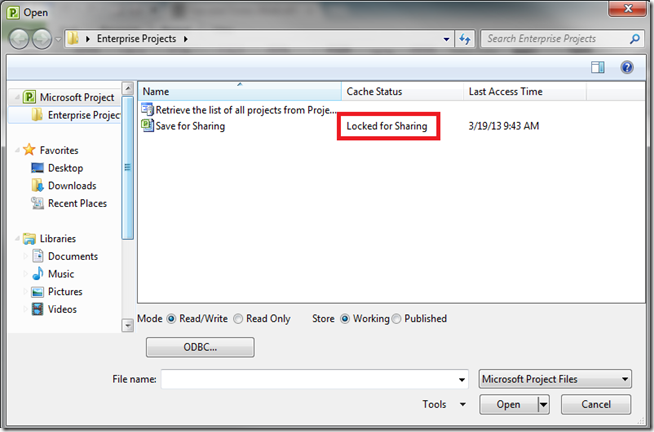
While most companies are open to hiring contractors for their projects, they are still skeptical on giving them access to their network. We have many clients that, while want contractors to work on their project and provide input to the project schedule, do not like the idea of granting them access to their Project Server. Read more about Microsoft Project 2010–Save for Sharing feature[…]

MPUG WebnLearn: Bring Project Portfolio Management to your PMO using Project Server 2010

Just wanted to let all of you know that I will be presenting a web-n-learn for Microsoft Project Users Group (MPUG), on the topic “Bring Project Portfolio Management to your PMO using Project Server 2010” on 03/20/2013, at 12 PM EST. For more details, click here: http://www.mpug.com/Lists/Event%20Calendar/DispForm.aspx?ID=702&Source=http%3A%2F%2Fwww%2Empug%2Ecom%2FPages%2FHome%2Easpx This session will cover the specifics of how you can Read more about MPUG WebnLearn: Bring Project Portfolio Management to your PMO using Project Server 2010[…]

Free Download: UPDATED Quick Reference Card Pack for Microsoft Project 2010

For your downloading pleasure, we have added two more Microsoft Project 2010 quick reference cards to the pack — bringing the total up to SEVEN (7) pages — to help you learn the MS Project interface, keyboard shortcuts, Ribbon menus,  the resource assignment variables, and Task Types… nicely packaged in a downloadable Microsoft Project 2010 Quick Read more about Free Download: UPDATED Quick Reference Card Pack for Microsoft Project 2010[…]